
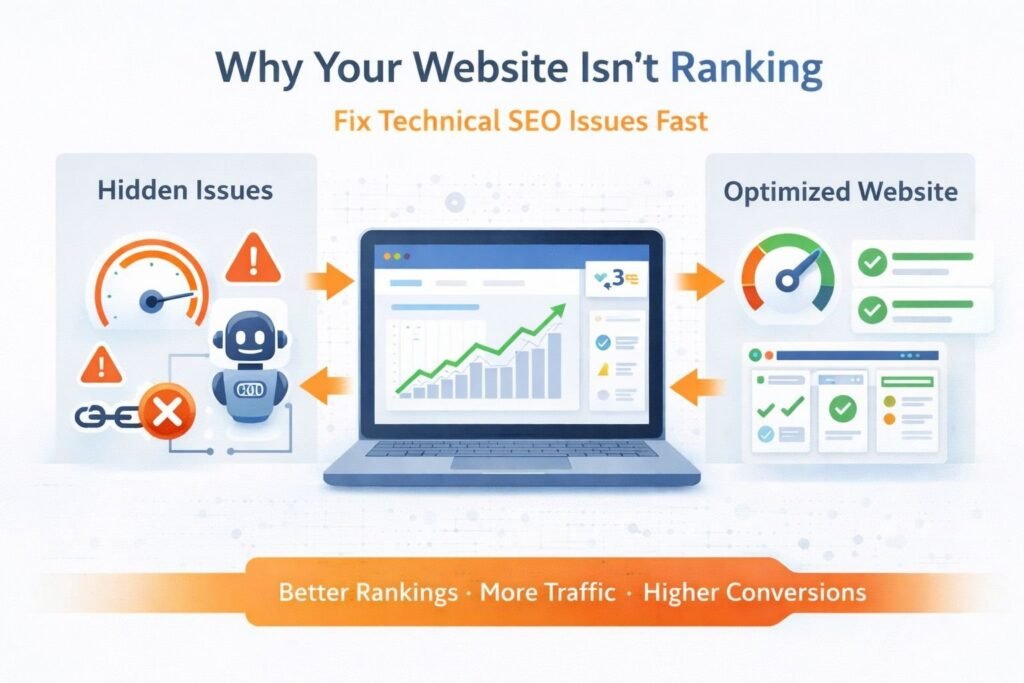
You’ve done the keyword research. You’ve written the content. You’ve even built a few backlinks. Yet your pages sit on page three, barely moving. In most cases like this, the problem isn’t the content it’s what’s happening underneath it. Technical SEO is the infrastructure layer that either supports your rankings or quietly sabotages them. This checklist addresses the issues that actually move the needle.
1. Crawlability: Make Sure Search Engines Can Actually Find Your Pages
Before Google can rank your page, Googlebot needs to find and read it. Crawl issues are more common than most site owners realize and they’re often invisible without the right tools.
Check Your robots.txt File
Your robots.txt file tells crawlers which parts of your site to ignore. The danger is accidentally blocking pages you want indexed. A simple typo like Disallow: / can block your entire site from being crawled.
Go to yourdomain.com/robots.txt and review every Disallow directive. Cross-reference this with Google Search Console → Coverage → Excluded to see if any important URLs are being blocked.
Audit Internal Links for Dead Ends
Crawlers follow links the same way users do. If you have pages with no internal links pointing to them called orphan pages Googlebot may never find them. Use Screaming Frog or Ahrefs Site Audit to identify orphan pages and connect them to relevant hub pages within your site architecture.
Review Crawl Budget on Large Sites
If your site has thousands of pages, Google won’t crawl all of them on every visit. It allocates a crawl budget based on your site’s authority and server health. Wasting that budget on low-value pages (like filtered e-commerce URLs, duplicate parameterized pages, or internal search results) means important content gets crawled less frequently. Use the URL Parameters tool in Search Console to manage this.
Crawlability Quick Checklist
- robots.txt reviewed and tested in Search Console’s robots.txt tester
- No important pages blocked via Disallow or X-Robots-Tag
- Orphan pages identified and internally linked
- Pagination handled correctly (rel=”next”/”prev” or canonical)
- Faceted navigation / URL parameters configured in Search Console

2. Indexing: Ranking Requires Being in the Index First
A page that isn’t indexed simply doesn’t exist in search. Indexing problems are one of the first things to check when a page isn’t showing up in results even if it’s been live for months.
Use the URL Inspection Tool
In Google Search Console, the URL Inspection Tool tells you exactly how Google sees a specific URL whether it’s indexed, when it was last crawled, and whether any issues were detected. It’s the most direct diagnostic tool available and should be your first stop.
Canonical Tags: Intent vs. Reality
Canonical tags (rel="canonical") tell Google which version of a page is the “master” copy. But when they’re misconfigured pointing to the wrong URL, self-canonicalizing incorrectly, or being overridden by an HTTP redirect you end up with indexing confusion.
Check that your canonical tags are consistent with your redirect logic and that no page is canonicalized to a URL that returns a non-200 status.
noindex Tags: Easy to Overlook
CMS platforms like WordPress sometimes apply noindex to tag pages, archive pages, or even entire sections by default. After a site migration or template change, these settings can accidentally apply to content you want indexed. Audit your pages using Screaming Frog to pull all noindex directives and verify none are applied to high-value URLs.
Indexing Quick Checklist
- Key pages confirmed as indexed via URL Inspection Tool
- Canonical tags implemented correctly and consistently
- No accidental noindex on important pages
- XML sitemap submitted and free of 404s or noindexed URLs
- Hreflang implemented correctly for multilingual sites

3. Site Speed: Every Second of Delay Costs You Rankings and Conversions
Site speed has been a confirmed Google ranking factor since 2010, and with Core Web Vitals now part of the Page Experience signals, it’s more important than ever. But beyond rankings, a slower site measurably reduces user engagement and conversions.
Where to Measure
Use PageSpeed Insights to see both lab data (simulated) and field data (real user measurements from the Chrome UX Report). Field data is what Google uses for ranking purposes, so prioritize fixing what shows up there.
The Biggest Speed Wins
Render-blocking JavaScript and CSS are among the most common culprits for slow load times. Scripts loaded synchronously in the <head> pause rendering until they’ve fully downloaded. Defer non-critical scripts with defer or async attributes, and move CSS inline for above-the-fold content.
Image optimization consistently delivers the highest return on effort. Serve images in modern formats (WebP or AVIF), implement lazy loading for below-the-fold images, and always set explicit width and height attributes to prevent layout shifts.
A Content Delivery Network (CDN) reduces latency for users who are geographically distant from your server. For international sites especially, this is low-hanging fruit that can cut load times significantly without touching your code.

Site Speed Quick Checklist
- PageSpeed Insights run on key pages (both mobile and desktop)
- Images converted to WebP/AVIF and appropriately compressed
- Render-blocking resources deferred or eliminated
- Browser caching and GZIP/Brotli compression enabled
- CDN configured for static assets
- Third-party scripts audited for performance impact
4. Mobile Usability: Google Indexes the Mobile Version of Your Site
Google moved to mobile-first indexing years ago, meaning it primarily uses the mobile version of your content for indexing and ranking. If your mobile experience is broken, cluttered, or slow, your rankings will reflect that regardless of how polished your desktop site looks.
Common Mobile Issues That Hurt Rankings
Interstitials and pop-ups that cover main content on mobile trigger a Google penalty. If you use pop-ups for newsletter signups or cookie consent, ensure they either appear only after user interaction or use banner-style formats that don’t obscure the page.
Tap targets too close together buttons and links that are too small or positioned near each other is flagged directly in Search Console under Mobile Usability. Google recommends a minimum tap target size of 48×48 pixels with adequate spacing.
Content parity between desktop and mobile matters more now than ever. If you hide substantial content on mobile (using display:none or behind tabs that don’t expand), Google may not factor that content into rankings.
Mobile Usability Quick Checklist
- Mobile-friendly test passed (Search Console → Mobile Usability)
- Viewport meta tag present on all pages
- No intrusive interstitials on mobile
- Tap targets at least 48x48px with appropriate spacing
- Content identical (or equivalent) on mobile and desktop
- Font size at least 16px for body text to avoid pinch-zooming

5. Site Structure and Internal Linking: Architecture That Distributes Authority
The way your pages are organized and linked together affects how authority flows through your site and how efficiently crawlers navigate it. A flat, logical structure is almost always better than a deeply nested one.
Keep Important Pages Close to the Root
Pages that require more than three clicks from your homepage to reach tend to be treated as lower-priority by search engines. Review your crawl depth report (available in Screaming Frog or Ahrefs) and flatten deep pages by creating hub pages or improving internal linking from higher-authority URLs.
Strategic Internal Linking
Internal links pass PageRank between pages. A high-authority blog post can meaningfully boost a target page’s rankings if you add a contextual internal link with relevant anchor text. This is often one of the fastest ways to improve rankings for pages that are sitting just outside the top ten.
When adding internal links, prioritize: (1) links from pages with high organic traffic or many external backlinks, (2) descriptive anchor text that matches the target page’s primary keyword, and (3) links that appear naturally in body content, not just footers or sidebars.

6. Schema Markup: Give Search Engines Unambiguous Context
Schema markup (structured data) uses a standardized vocabulary from Schema.org to tell search engines exactly what your content represents whether that’s a product, an article, a local business, a recipe, or an FAQ. It doesn’t guarantee rich results, but it’s required for them.
Which Schema Types Actually Matter
The most impactful schema types for most sites are: Article or BlogPosting for editorial content, Product with Offer details for e-commerce, LocalBusiness for brick-and-mortar locations, FAQPage for Q&A-style content, and BreadcrumbList to improve how your URLs appear in search results.
Validate Before You Deploy
Malformed schema can be worse than no schema it can trigger manual actions in extreme cases. Always validate your markup using Google’s Schema Markup Validator and the Rich Results Test before pushing to production. Check Search Console’s “Enhancements” section regularly to catch errors across your site at scale.
Schema Markup Quick Checklist
- Appropriate schema type selected for each page category
- Markup validated via Google Rich Results Test
- No errors or warnings in Search Console → Enhancements
- Organization and WebSite schema on homepage
- BreadcrumbList schema implemented sitewide

7. Core Web Vitals: The Metrics Google Uses for Page Experience Ranking
Core Web Vitals are three specific metrics Google uses to measure real-world user experience: Largest Contentful Paint (LCP), Interaction to Next Paint (INP), and Cumulative Layout Shift (CLS). Poor scores here are a direct ranking disadvantage.
Largest Contentful Paint (LCP)
LCP measures how long it takes for the largest visible element (usually a hero image or heading) to fully render. A good LCP is under 2.5 seconds. The most common culprits are unoptimized hero images and slow server response times. Use fetchpriority="high" on your LCP image and ensure it isn’t lazy-loaded.
Interaction to Next Paint (INP)
INP replaced First Input Delay (FID) in March 2024 as a Core Web Vital. It measures the responsiveness of your page to all user interactions throughout a session, not just the first one. A good INP is under 200ms. Heavy JavaScript execution is the primary cause of poor INP scores identify long tasks using Chrome DevTools’ Performance panel.
Cumulative Layout Shift (CLS)
CLS measures visual instability how much page elements unexpectedly move while loading. A CLS score above 0.1 is considered poor. Reserve explicit dimensions for images, videos, and ads. Avoid dynamically injecting content above existing elements unless it’s triggered by user action.
Core Web Vitals Quick Checklist
- LCP under 2.5s (measured from field data in Search Console)
- INP under 200ms across key pages
- CLS below 0.1 across all pages
- LCP image preloaded and not lazy-loaded
- Explicit width/height set on all images and video embeds
- Long JavaScript tasks broken up or deferred

Putting It All Together
Technical SEO isn’t a one-time fix it’s ongoing maintenance. The most effective approach is to work through this checklist systematically: start with crawlability and indexing (since those are the prerequisites for everything else), then address speed and Core Web Vitals, then refine your structure and schema.
Use Google Search Console as your primary signal source. It shows you what Google actually sees, and it’s the closest thing to a direct line of communication with the algorithm. Supplement it with a crawler like Screaming Frog for sitewide audits and PageSpeed Insights for performance data.
Small, consistent improvements compound over time. Fixing a crawl block today, reducing CLS this week, and cleaning up canonical issues next month adds up to meaningful ranking gains often faster than you’d expect.
Ready to audit your site? Start with Google Search Console → Coverage and URL Inspection it takes 10 minutes and often reveals the biggest issues first.If you found this checklist useful, share it with a developer or fellow SEO who’s wrestling with unexplained ranking drops.
Need Expert Technical SEO in Ludhiana?
Fix technical issues, improve site performance, and boost your rankings with our proven SEO strategies.
Get Technical SEO Service in Ludhiana